


Why Metal Buildings Block Your Cell Signal (And How to Fix It)

Most facility managers blame their carrier when phones don't work inside the facility. Rogers isn't covering the area properly, Bell's network is congested, or Telus needs more towers nearby. The real problem? Your building is doing exactly what it's designed to do—keeping weather out and radio waves with it.
Metal buildings block cell signal through simple physics. Steel walls and roofing reflect cellular frequencies the same way mirrors bounce light. Your team isn't dealing with poor carrier coverage. They're working inside what functions as a giant metal cage built to keep radio signals from passing through.
This creates problems beyond frustrating phone calls. When your receiving supervisor can't confirm shipments, trucks wait. When maintenance crews lose contact in equipment rooms, repairs take longer, and when someone needs help in a dead zone, they can't reach anyone.
Here's what's actually happening and how to fix it properly.
Why Metal Buildings Block Cell Signal
Metal reflects radio waves the same way mirrors reflect light. When cellular signals from towers hit metal walls or roofing, they bounce back instead of passing through.
The National Institute of Standards and Technology tested how construction materials block electromagnetic signals. Their studies measured everything from brick to reinforced concrete. Metal ranked among the worst materials for signal blockage, which explains why steel buildings create such complete dead zones.
Building design makes this worse in warehouses and manufacturing facilities. Metal racking creates additional barriers inside. Support columns add more obstacles. Every metal surface creates another bounce point where signals lose strength or disappear entirely.
Modern facilities often use insulated metal panels that sandwich foam between steel layers. These panels block signals even more effectively than single-layer metal because they increase the total thickness and create multiple reflection surfaces.
What Happens Inside Your Facility
Walk through most industrial buildings, and you'll notice patterns. Signal works near windows and doors where gaps exist. It dies in interior storage areas, equipment rooms, and anywhere surrounded by metal on multiple sides.
Your team learns to work around the problem by walking to doorways for calls and delaying decisions while hunting for coverage. Messages don't arrive until someone reaches a signal zone, which means missed updates and constant workflow interruptions. These workarounds waste time across every shift.
Safety becomes a concern when emergencies happen in dead zones. A worker injured in a basement storage area can't call for help. Equipment failures go unreported because maintenance crews can't reach anyone. When cell phones fail in metal buildings, teams need reliable backup communication methods.
The Real Cost You're Not Counting
Dead zones don't just frustrate workers—they cost real money. Staff can't confirm shipments, which creates receiving delays. Supervisors can't coordinate between departments, which slows production. Teams waste overtime hours tracking each other down for simple questions.
Order accuracy suffers when warehouse staff can't verify picks or confirm quantities. Customers get wrong shipments. Returns increase. Your reputation takes hits that are hard to measure but definitely impact future business.
Manufacturing teams face similar problems coordinating between production lines and material handling. The delays compound. A five-minute signal problem at receiving creates a 20-minute bottleneck downstream when materials arrive at the wrong staging area.
How Cell Signal Boosters Actually Work
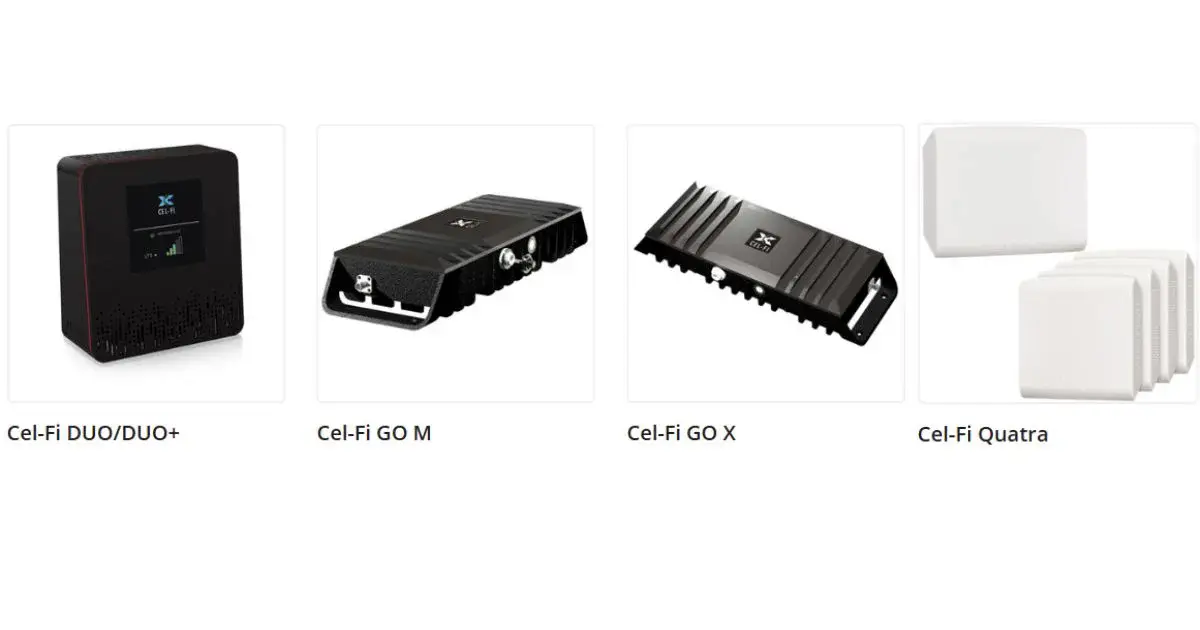
A cell signal booster captures weak outdoor signals, amplifies them, and rebroadcasts them inside your building. Three components handle this: an outdoor antenna pulling signal from towers, an amplifier strengthening that signal, and indoor antennas distributing coverage throughout your space.
The system works in both directions. It strengthens incoming signals, so your phones receive data and calls. It also boosts outgoing transmissions so your devices can reach towers more reliably. This two-way amplification keeps connections stable in areas where phones would normally fail.
Professional boosters differ from consumer models in important ways. They handle more users at once without performance drops and cover larger areas with consistent signal strength. They support all major Canadian carriers—Rogers, Bell, Telus—without needing separate systems for each one.
Installation quality determines results. The outdoor antenna needs a clear line of sight to the cell towers and a proper mounting height. Indoor antennas require strategic placement based on your facility layout and where teams actually work. Get placement wrong, and you'll have coverage gaps despite spending thousands on equipment.
When Boosters Aren't Enough
Signal amplification has limits. If the outdoor signal barely registers, boosting it won't create reliable indoor coverage. You're amplifying weakness, which still leaves you with a weak signal inside.
Metal buildings with extremely thick walls or multiple nested metal structures sometimes need more than boosters. The signal loss becomes too severe for amplification to overcome. In these cases, you're looking at infrastructure investments beyond basic boosting equipment.
Building size matters too. A 50,000-square-foot facility typically requires multiple indoor antennas to evenly distribute coverage. Single-antenna consumer boosters leave large areas uncovered. Professional systems scale to match your actual space and user count.
Geographic location affects results as well. Rural sites far from cell towers start with weaker outdoor signals. Urban facilities might experience signal congestion from multiple buildings that reflect and absorb frequencies. Each situation needs assessment before assuming boosters will solve everything.
The Two-Way Radio Alternative
Some operations find that professional radio systems work better than trying to fix cellular coverage. Two-way radios don't depend on cell towers, so metal construction doesn't create the same problems.
Radio systems operate on dedicated frequencies with repeaters you control. Mount a repeater high enough, and coverage extends throughout your facility regardless of metal obstacles. Teams get instant push-to-talk communication without worrying about signal bars or data plans.
For operations where coordination matters more than accessing internet data, radios often deliver better value. They work in basements, stairwells, and interior areas where cellular boosters struggle. Battery life extends through full shifts without needing recharges.
The choice depends on what your team actually needs. If they're pulling up work orders, checking inventory systems, or accessing cloud-based tools, they need cellular data. If they're coordinating movement, confirming tasks, and handling real-time communication, radios might be the smarter choice.
Choosing the Right Solution for Your Building
Start by measuring actual signal strength in problem areas. Apps like Network Cell Info show signal levels throughout your facility. This data shows whether boosting will solve the problem or if you need different approaches.
Consider user load carefully. A single-user vehicle booster costs far less than a multi-user building system. Match capacity to actual needs to prevent overspending while keeping good performance. Growing operations should plan for future expansion rather than buying systems they'll outgrow within two years.
Check carrier compatibility before buying. If your team uses multiple carriers, choose boosters supporting all relevant frequency bands. Single-carrier systems cost less but limit flexibility as workforce and equipment needs change.
Factor in installation complexity from the start. Vehicle systems often work as DIY installs. Building systems typically need professional installation to verify proper placement, regulatory compliance, and performance that justifies the investment.
Budget for the complete system, not just equipment. Professional site assessments identify the best antenna placement before installation. Poor placement wastes thousands on equipment that doesn't deliver expected coverage.
What Canadian Regulations Require
Canadian spectrum regulations through ISED govern signal amplification equipment to prevent interference with cellular networks. Boosters must meet technical standards that limit power output and prevent creating problems for other users.
Using non-compliant boosters can trigger enforcement action from carriers or regulators. The equipment might work initially, but it creates interference affecting emergency services or nearby facilities. Fines and equipment seizure become real possibilities when you skip proper compliance.
Licensed professional installers understand these requirements and ensure systems meet all regulations. This protects your investment and prevents problems that could shut down your communication entirely if regulators find violations.
Getting Installation Right the First Time
Professional installation starts with site surveys. These measure signal strength, identify the best antenna locations, and plan cable routing that meets building codes. This upfront work prevents expensive mistakes that consumer installations often create.
Outdoor antenna placement requires line-of-sight to the towers and proper mounting that handles wind loading. Ontario weather includes ice storms and high winds that damage improperly mounted equipment. Your antenna needs to survive decades of Canadian conditions.
Indoor antenna placement depends on how the signal moves through your specific space. Metal racking, equipment layouts, and work patterns all affect where antennas work best. Cookie-cutter approaches leave gaps.
Cable quality and routing matter more than most people realize. Poor cables leak signal. Improper routing creates interference. Professional installations use commercial-grade components designed for permanent building integration, not temporary consumer setups.
Maintaining Reliable Coverage
Once installed, boosters require occasional maintenance to maintain strong performance. Outdoor antennas collect dirt, ice, and weather damage over time. Connections corrode. Amplifiers need inspection to catch problems before they cause failures.
Building changes affect coverage patterns. New racking, equipment installations, or layout modifications can create dead zones in areas that previously had a good signal. Reassessing coverage after major changes prevents surprises.
Carrier network upgrades sometimes require adjustments to booster settings. When carriers deploy new frequencies or upgrade towers, your booster may need to be reconfigured to maintain strong performance across all bands.
Stop Working Around Dead Zones
Metal buildings block cell signal, but you don't have to accept poor communication as inevitable. Professional boosters extend cellular coverage where your team works. Proper assessment, installation, and equipment selection deliver reliable results that justify the investment.
For facilities where cellular solutions don't fit operational needs, dedicated radio systems provide alternatives that work regardless of building construction. The right choice depends on how your team communicates and what tools they need access to throughout shifts.
Contact us to assess signal coverage in your facility. We'll measure actual signal strength, identify problem areas, and recommend solutions that work for your specific building and operational needs.