


5 Tips for Maintaining Your Motorola Industrial Radios Between Shifts

Most facilities assume that professional service twice a year keeps radios working fine. Then, radios start failing at three years instead of lasting their full design life, batteries die mid-shift, and audio quality drops, causing workers to miss critical updates.
What looks like equipment failure is often maintenance failure. Motorola industrial radios withstand harsh factory conditions better than consumer gear, but even the R7 won't survive years of neglect between scheduled service.
The difference between short equipment life and getting full value comes down to what happens between shifts.
What Happens Between Professional Service Visits
Professional radio service catches big problems. These require expertise and specialized tools. Technicians test RF output, clean internal components, update firmware, and replace parts showing wear.
But these visits occur quarterly at best, often just twice a year. Six months of daily use under demanding conditions can create problems that even expert service can't reverse once they've progressed too far.
Think about what radios face during typical shifts: twelve hours in dusty conditions, drops onto concrete, temperature swings, moisture from workers' hands, and facility cleaning. Small problems compound into failures when nobody addresses them between service appointments.
A slightly dirty speaker grill becomes completely blocked. Minor battery issues turn into dead radios by lunch. Loose antenna connections create dead zones that workers blame on coverage gaps.
Tip 1: Check Battery Health Before Every Shift
Battery problems cause more radio failures than any other single issue in industrial settings. Workers grab radios, assuming they're charged. Then, two hours into the shift, the radio dies during a critical coordination moment.
Start each shift by checking battery charge levels. Don't rely on indicator lights alone—key up briefly to confirm the radio is transmitting at full power. Batteries that consistently drop below twenty percent during normal shifts need replacement soon.
Remove batteries from radios during charging when your system allows it. Leaving radios on chargers after they've reached full charge generates excess heat. Heat kills battery capacity faster than heavy use does.
Store spare batteries in cool, dry locations away from heat sources. Check backup batteries monthly and rotate them into service to prevent them from sitting dormant for extended periods.
Watch for physical warning signs, such as swelling or corrosion on terminals. This means immediate replacement. A swollen battery can damage radio internals and create safety hazards beyond just communication failure.
Tip 2: Clean Speaker Grills and Microphones Daily
Audio problems usually start with dirt blocking sound transmission, not internal component failure. Factory environments create perfect conditions for this: metal dust from machining, concrete dust from construction, and oil mist from manufacturing equipment.
All of it works its way into speaker grills and microphone ports, where it accumulates until audio quality becomes noticeably poor. By that point, the blockage takes real effort to clear.
Clean these areas at every shift change using compressed air or a soft brush. Avoid water or cleaning chemicals unless the radio is completely powered off and you're following the manufacturer's guidelines.
The microphone opening needs particular attention, as workers often press radios against their faces while talking. This transfers sweat and skin oils directly into sensitive areas. A cotton swab with isopropyl alcohol cleans effectively without leaving residue.
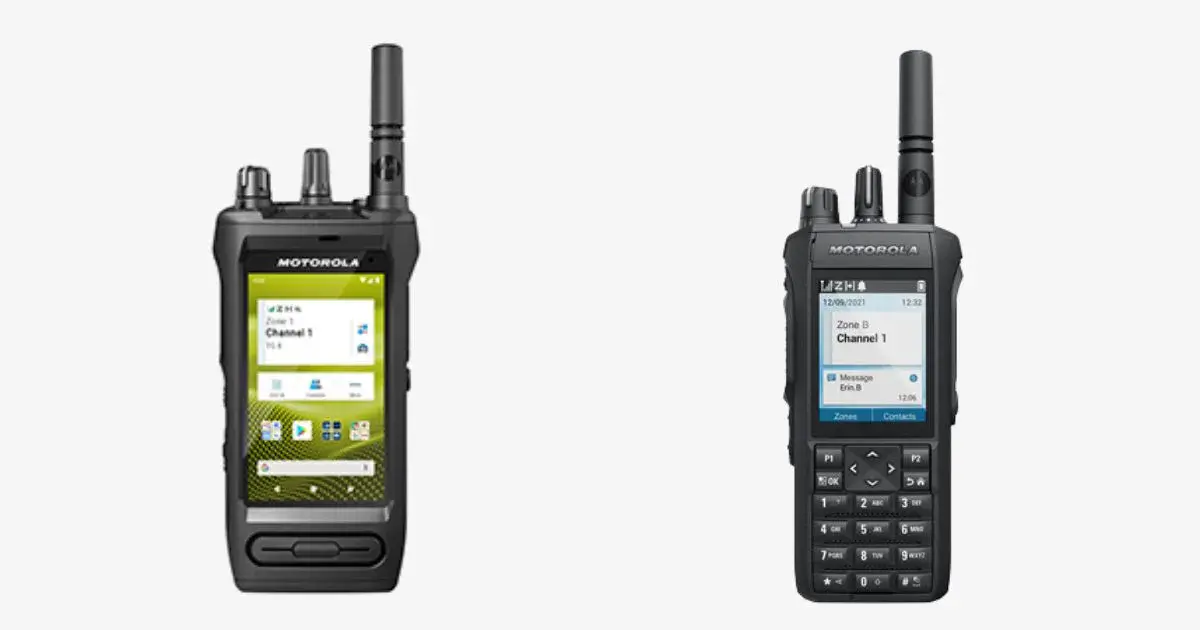
The MOTOTRBO Ion and R7 have sealed designs that resist dust and moisture better than older models. But sealed doesn't mean waterproof in all situations. Follow Motorola's official care guidelines.
Clear audio matters beyond convenience in noisy factory environments. When maintenance teams can't hear coordination updates during equipment moves or hazardous material handling, the communication failure creates safety risks. Proper cleaning prevents this.
Tip 3: Inspect Physical Damage Before Problems Get Worse
Small cracks become complete failures faster than most people expect. A hairline crack seems insignificant until water gets inside during the next rainy day at the loading dock.
Check radios for physical damage at every shift change. Look specifically for cracks in the housing around antenna connections and battery compartments. These are stress points where impacts show up first.
Test buttons and controls as part of your inspection routine. Sticky buttons often indicate dirt accumulation or developing moisture damage. Knobs that feel loose need attention before they fall off during a shift.
Antenna connections deserve special attention because they directly affect radio performance. A loose antenna reduces signal range dramatically. But workers assume they're in a dead zone when the antenna just needs tightening. Turn antennas clockwise until snug, but don't overtighten.
Document damage when you find it, even minor issues. A log showing progressive deterioration helps identify which work environments or individual users are hardest on equipment.
Replace protective accessories before they fail completely. Speaker microphones take more direct abuse than radios themselves. Clips wear out from repeated attachment and removal. Cables develop breaks near connectors from flexing.
Tip 4: Store Radios Properly When Not in Use
Where radios spend their off-shift hours affects equipment longevity more than most facilities realize.
Don't leave radios in vehicles overnight, especially during Canadian winters. Temperature swings from -30°C outside to room temperature inside create condensation. This moisture causes corrosion and intermittent problems that are difficult to diagnose.
Designated storage areas work better than random drawers scattered throughout facilities. A proper charging station provides organized storage. This makes checking battery levels part of the routine instead of an extra task people skip.
Keep radios away from windows where direct sunlight creates excessive heat buildup. UV exposure also degrades plastic housings over time. This makes them brittle and more prone to cracking during drops.
Don't stack radios on top of each other in charging stations. Weight from stacked units can damage controls and displays, particularly the emergency button. Crowded charging also creates airflow problems that generate excessive heat.
Use protective cases when radios regularly travel between facilities or job sites. The upfront cost prevents much larger repair expenses from impact damage during transport.
Tip 5: Update Firmware and Programming as Needed
Software maintenance is as important as physical care for modern digital radios. Firmware updates fix bugs discovered after radios ship, improve battery efficiency, and sometimes add features that weren't available when the equipment was originally purchased.
Check for firmware updates quarterly. These updates can improve audio quality in noisy environments. They extend battery life through better power management. They fix intermittent connectivity issues that seem like hardware problems.
Don't attempt firmware updates during production shifts when communication interruptions affect operations. Schedule them during planned downtime when a temporary loss of radio service won't impact safety or productivity.
Keep programming consistent across your entire radio fleet. This way, any worker can grab any radio and communicate effectively. When radios have different configurations, coordination becomes unnecessarily difficult.
Document your programming configuration in detail. When radios need service or replacement, detailed records of channel assignments, PL tones, and talk group settings speed up getting new equipment into service.

When Professional Service Becomes Necessary
Between-shift maintenance handles routine care effectively. But professional service remains essential for problems requiring specialized expertise and diagnostic tools.
Schedule professional inspections based on how intensively your facility uses radios and what environmental conditions they face. High-use operations in demanding environments benefit from quarterly service. Moderate use might stretch to semi-annual inspections.
Professional service typically extends radio lifespan from three years to seven years. This makes the combination of daily maintenance and periodic professional care a worthwhile investment.
Professional technicians catch problems that are invisible during daily inspections. RF output testing requires specialized equipment that measures transmission quality and power levels. Internal cleaning needs proper tools to access components without damaging seals.
Authorized Motorola service providers have access to parts inventory and technical support. Generic repair shops can't match this. They understand how MOTOTRBO equipment performs in demanding industrial environments.
Contact a professional service immediately when radios show symptoms beyond routine maintenance. Unexplained battery drain affecting multiple units suggests programming or firmware issues. Consistent signal problems that cleaning doesn't resolve might indicate antenna or RF stage problems. Audio distortion persisting after speaker grill cleaning could mean internal speaker damage.
Build Maintenance into Daily Operations
The most effective radio maintenance happens automatically as part of standard shift procedures. When checking radios becomes as routine as clocking in, problems get caught early before they cause communication failures.
Create simple checklists posted at charging stations for workers to see during equipment handoff. Battery check, physical inspection, audio test, proper storage—basic items that prevent failures from accumulated neglect.
Assign responsibility clearly rather than assuming "everyone" will handle maintenance. When responsibility is diffused, critical checks get skipped. Designate specific individuals to perform systematic checks and log issues.
Track problems systematically to reveal patterns. This shows which radios fail most frequently and which work areas cause the most equipment damage. The information helps guide future equipment purchases and identifies workers who need additional training.
Keep Communication Working When Production Depends on It
Motorola industrial radios perform better in demanding environments than consumer alternatives. But durability doesn't mean indestructible. Regular between-shift maintenance keeps radios working throughout their design life rather than failing prematurely.
Five straightforward practices prevent most radio failures. Check battery health before shifts start, clean audio components daily, inspect for physical damage, store equipment properly during off hours, and keep firmware up to date.
These practices prevent downtime caused by radio failures during coordination moments that affect safety and productivity.
Schedule a maintenance assessment to identify where daily care prevents early equipment failure. Our team reviews your facility conditions and designs practices that match the challenges your radios face.